
MeltFlex is an AI-powered home and interior design tool that turns a single photo of a room into a photorealistic…
1 / 3
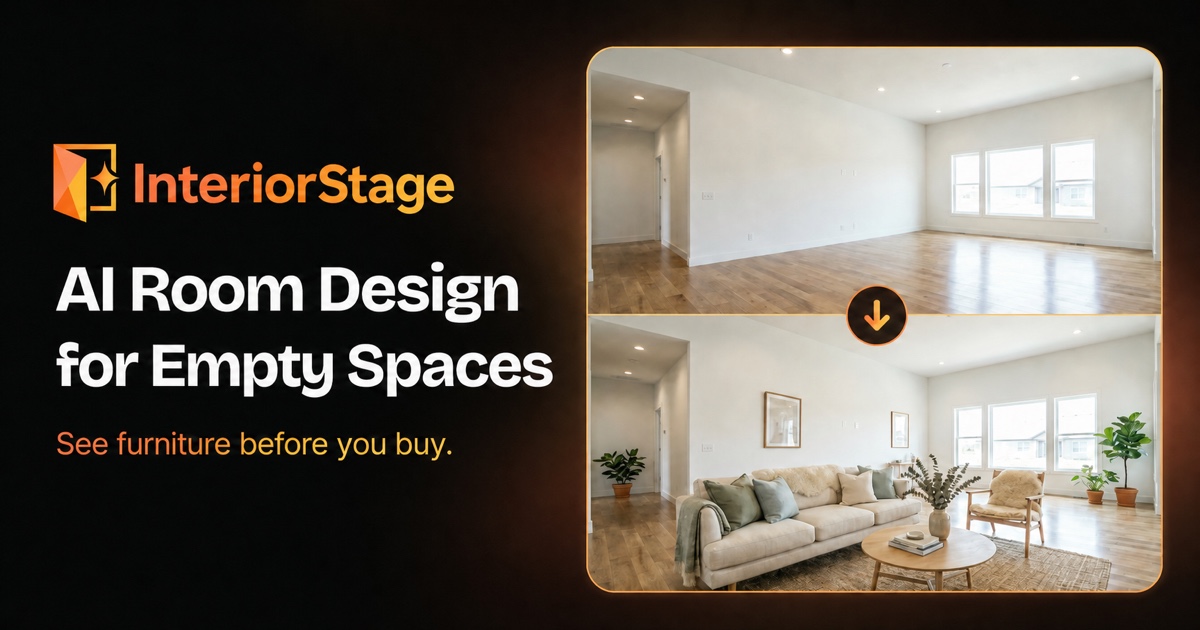
【Overview】 InteriorStage is an AI room design tool that furnishes photos of empty rooms with movable furniture and decor concepts. Users upload a clear photo of an empty room, choose a style, and receive a furnished concept image they can use for inspiration. The tool is built for visualizing how furniture and decor could feel in a space before making a purchase or moving in. The problem it solves is the gap between an empty room and a furnished vision. Instead of guessing how a sofa, rug, or arrangement might look, users can preview different styles and directions quickly. InteriorStage is aimed at homeowners and renters who are planning a new home or a fresh start, and who want to explore design ideas before the furniture arrives. 【Key features】 • AI Room Design: Adds movable furniture and decor to a photo of an empty room, generating a furnished concept image. • Room Visualizer: Previews a furniture and decor concept in an empty room photo. • AI Room Planner: Turns an empty-room photo into a furniture and decor concept for visual planning. • Scene Video Creation: Creates a short video from a single room image. • Room-Collection Video: Combines several room concepts into one video with transitions and music. 【Use cases】 1. Picture an empty room with furniture before buying. 2. Explore different design styles for a room. 3. Create a visual reference for a move or fresh start. 4. Plan a bedroom design. 5. Plan a living room design. 【Pricing】 Free: $0/month — 2 room-design images/month, with watermark, no scene videos, no room-collection videos. Starter: $29/month — Up to 50 room-design images/day, up to 20 room-collection videos/day, 10 scene videos/month (720p), no watermark. Pro: $79/month — Up to 200 room-design images/day, up to 50 room-collection videos/day, 20 scene videos/month (1080p), no watermark. Agency: $199/month — Room-design images for high-volume use, up to 100 room-collection videos/day, 100 scene videos/month (1080p), no watermark. 【Pros and cons】 Pros: - Ideal for homeowners and renters who want to explore furnishing ideas without buying furniture first, as it turns an empty-room photo into a visual concept quickly. - Useful for planning a bedroom or living room design, giving a clear direction before committing to purchases or a move. Cons: - Works best with empty rooms; it does not remove existing furniture or renovate walls, floors, windows, or cabinets. - Not a measured floor planner; it offers no 2D or 3D drag-and-drop layout or exact product placement. - Scene videos and room-collection videos are available only on paid plans, and scene video resolution depends on the plan (720p or 1080p). 【FAQ】 Q: How much does InteriorStage cost? A: InteriorStage offers a free plan with 2 room-design images per month. Paid plans start at $29/month for Starter, $79/month for Pro, and $199/month for Agency. Q: Who is InteriorStage for? A: It is designed for homeowners and renters who want to preview furniture and decor concepts in empty rooms, especially when planning a new home, a fresh start, or a bedroom or living room design. Q: Can InteriorStage remove existing furniture or renovate fixed surfaces? A: No. InteriorStage works best with empty rooms and does not remove existing furniture or renovate walls, floors, windows, or cabinets.
Free · $0/month (2 room-design images/month, With watermark, No scene videos) Starter · $29/month (Up to 50 room-design images/day, Up to 20 room-collection videos/day, 10 scene videos/month (720p)) Pro · $79/month (Up to 200 room-design images/day, Up to 50 room-collection videos/day, 20 scene videos/month (1080p)) Agency · $199/month (Room-design images for high-volume use, Up to 100 room-collection videos/day, 100 scene videos/month (1080p))

WPS AI is an AI assistant built into WPS Office that helps users write documents, generate presentation outlines and…

Baidu Comate is an AI coding assistant built by Baidu on its ERNIE model. It goes beyond simple autocomplete: it…

UniConverter is an AI media conversion and enhancement tool for video, audio, and images. It combines everyday…
6 similar tools to consider instead of InteriorStage
MeltFlex is an AI-powered home and interior design tool that turns a single photo of a room into a photorealistic…

Roomvana is an AI-powered interior and exterior design tool that turns a single photo of a room, home exterior, or…

RoomAI is an AI tool that takes a single photo of a real room and generates restyled interior designs, virtual staging,…

InteriorAID is an AI visualization workspace for interior designers and studios. It takes the material designers…

Home Design AI turns a photo or a written idea into visual design concepts for rooms, home exteriors, and gardens. It…

Roomagine is an AI interior design app that takes a single photograph of your room and produces a redesign in about ten…